service looks like one of the most boring binaries you could ever grant sudo access to — its entire job is to start, stop, and restart other services. There’s no obvious “spawn a shell” functionality anywhere near it. That’s exactly what makes it a good GTFOBins entry: the shell escape doesn’t come from a feature of service itself, it comes from how the wrapper script resolves the path to whatever you tell it to run.
I had a shell as www-data, one line of sudo permissions, and that was all it took.
The Setup
After landing a foothold on a box called crane, I checked sudo rights as www-data:
sudo -l
User www-data may run the following commands on localhost:
    (ALL) NOPASSWD: /usr/sbin/service
Full, unrestricted, NOPASSWD access to service, with no argument restrictions at all. On Debian-based systems, /usr/sbin/service is itself a shell wrapper — not a compiled binary — that resolves a service name into an init script under /etc/init.d/ and then executes it. That resolution step is where the whole exploit lives.
Enumeration — Why service Is Exploitable
Under the hood, service takes its first argument, treats it as a service name, and builds a path by concatenating it onto /etc/init.d/. It does effectively no validation on that argument — it doesn’t check that the resulting path stays inside /etc/init.d/, and it doesn’t reject path traversal sequences like ../.
That means instead of passing a real service name, I can pass a relative path that walks back out of /etc/init.d/ entirely and points at any binary I want:
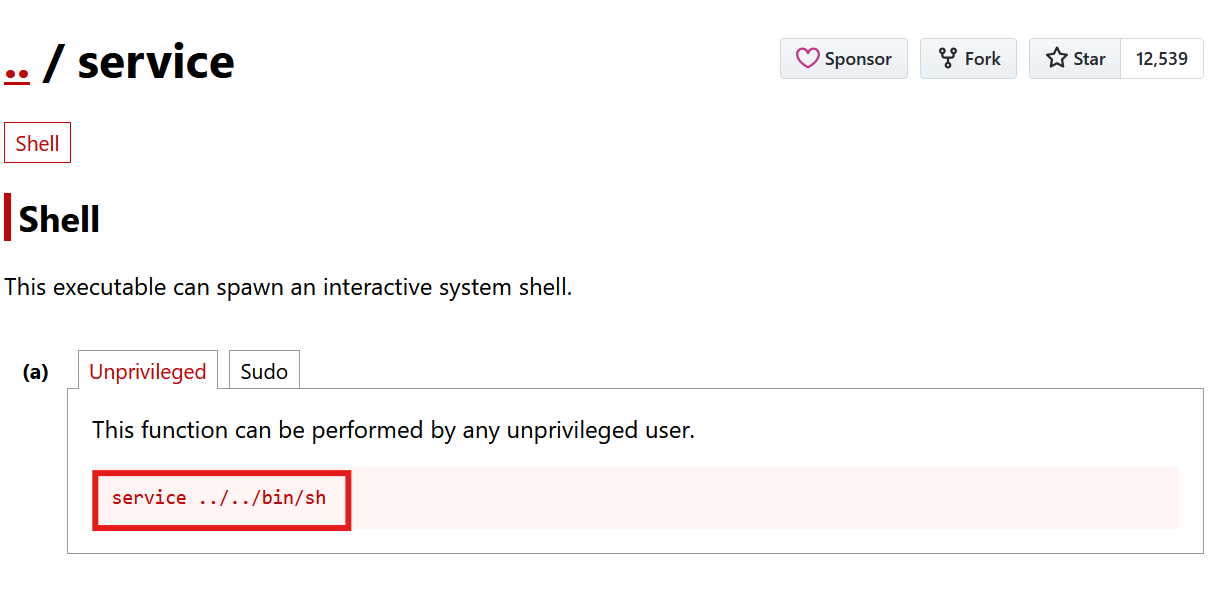
service ../../../bin/shGTFOBins documents this same technique under the service entry’s Shell section (its canonical example is service ../../bin/sh) — no special crafting required, just a relative path that escapes the intended directory and lands on /bin/sh. An extra ../ beyond what’s strictly needed is harmless, since cd .. from / just stays at /.
Exploitation
With the NOPASSWD rule in place, the payload was a single line:
sudo service ../../../bin/shwww-data@crane:/var/www/html$ sudo service ../../../bin/sh
# id
uid=0(root) gid=0(root) groups=0(root)service resolved ../../../bin/sh relative to /etc/init.d/, walked back up the directory tree, and landed on /bin/sh — then executed it, as root, because the whole invocation was running under sudo. No init script, no service name validation, just a shell spawned with root’s effective privileges.
Why This Works
The vulnerability comes down to unsanitized path construction inside the service wrapper script:
servicebuilds its target path by directly appending user input to a fixed prefix (/etc/init.d/)- It performs no canonicalization or containment check on the resulting path
- A relative path with enough
../segments walks straight back out of/etc/init.d/and can point anywhere on the filesystem, including directly at a shell binary - Since
serviceitself runs with whatever privileges invoked it — root, viasudo— whatever it executes inherits that same privilege level
This is the same class of bug as any other unsanitized path-traversal vulnerability, just applied to a sudo wrapper instead of a web application. The fact that service is meant to only run init scripts doesn’t matter once its input isn’t validated against that assumption.
Root Cause
Full, argument-unrestricted sudo access to /usr/sbin/service is the entire problem:
www-data ALL=(ALL) NOPASSWD: /usr/sbin/serviceFix: Never grant blanket sudo access to service (or any other init-script wrapper) without restricting the exact service names that can be passed. Enumerate the specific services that legitimately need to be managed and pin the rule to those, or route through a wrapper script that validates the argument against an allow-list:
# /etc/sudoers.d/service-restricted
www-data ALL=(ALL) NOPASSWD: /usr/sbin/service nginx restart, /usr/sbin/service nginx status
Better still, use systemd’s native permission model (systemctl with polkit rules scoped to specific unit names) instead of the legacy service wrapper, since polkit rules can be scoped far more precisely than a sudoers line.
Key Takeaways
- Any sudo rule granting unrestricted access to a wrapper script —
service,systemctl,apache2ctl, and similar — deserves a look at GTFOBins before assuming it’s safe - Unsanitized path construction inside a privileged wrapper is just as exploitable as unsanitized input in a web application — the trust boundary is the same, only the interface differs
- Sudoers rules should always pin exact arguments; a bare binary path with no argument restriction hands over the full functionality (and every edge case) of that binary
- When legacy tools like
servicemust remain in sudoers, prefer allow-listing exact commands over trusting the tool’s own input validation
Questions? Hit me up on X.