Printers are one of the most overlooked attack surfaces in enterprise networks. They sit quietly in the corner, never patched, never monitored, and almost always forgotten during security reviews.
During a network penetration test, I found one wide open.
Recon — Scanning the Network
Standard methodology — start with an Nmap scan to map the network and identify open ports and running services.
nmap -sV -sC -p- 192.168.220.10 --openAmong the results, one port immediately caught my attention:
PORT     STATE SERVICE VERSION
9100/tcp open  jetdirect
Port 9100 — JetDirect. This is the raw printing port used by HP printers and many other network-capable printers. It accepts direct TCP connections and, importantly, speaks PJL — Printer Job Language.
PJL is a command language that sits above the print job itself. It was designed to let administrators query and configure printers remotely. In a secured environment, this port should be firewalled off from general network access. Here, it wasn’t.
What Is PJL?
PJL (Printer Job Language) is a protocol developed by HP that allows communication with printers at the job control level. Through PJL you can:
- Query the printer model, firmware version, and configuration
- Read and write filesystem contents on some models
- Change printer settings remotely
- In some cases — execute code
All of this over a raw TCP connection. No authentication required by default.
Step 1 — Identifying the Device
First thing — figure out exactly what we’re dealing with. I sent a raw PJL INFO ID command using netcat:
echo -e "@PJL INFO ID" | nc 192.168.220.10 9100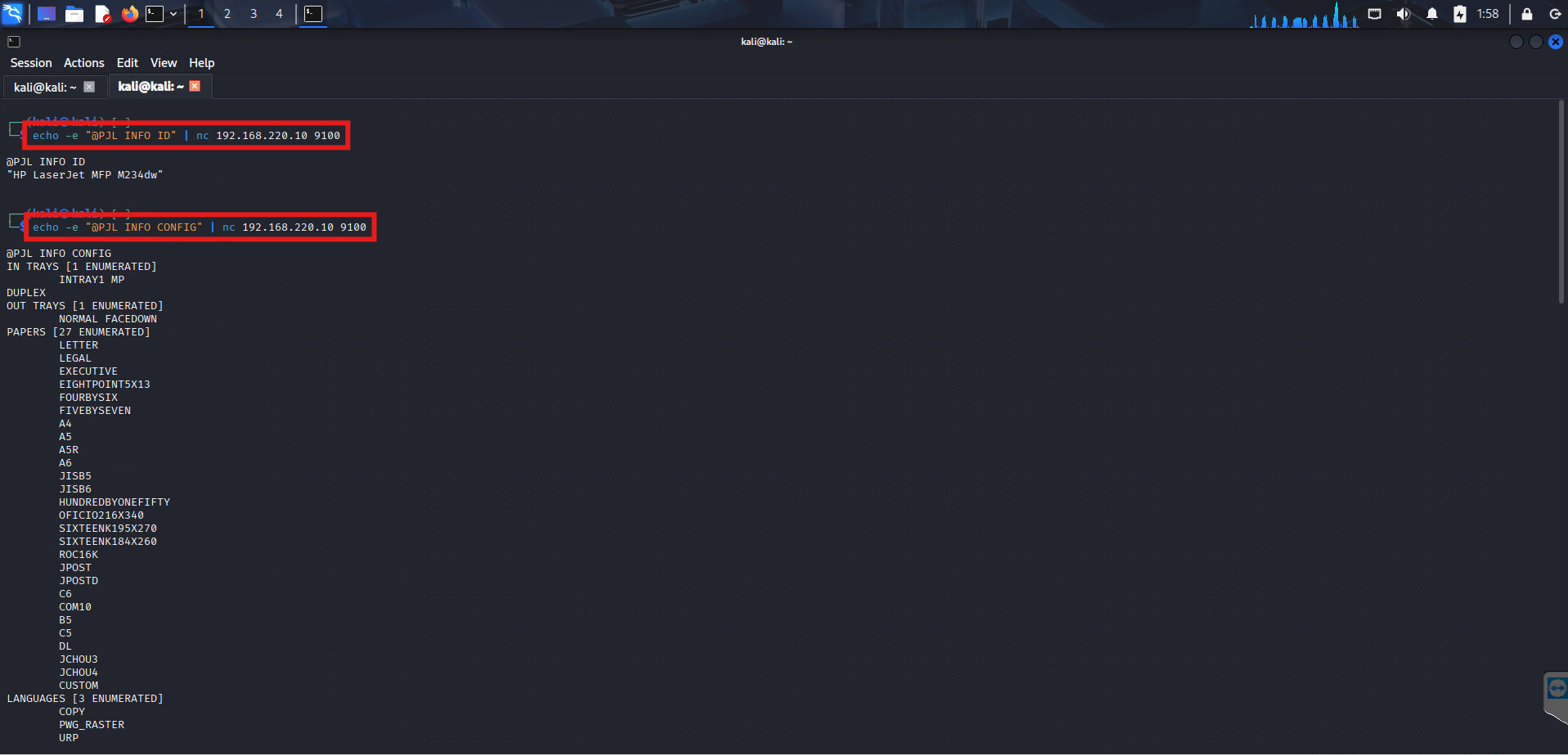
Response:
@PJL INFO ID
"HP LaserJet MFP M234dw"
HP LaserJet MFP M234dw. Model confirmed. Now I know exactly what firmware vulnerabilities to look up, what PJL features are supported, and what the attack surface looks like.
Step 2 — Pulling the Full Configuration
Next I queried the full device configuration using INFO CONFIG:
echo -e "@PJL INFO CONFIG" | nc 192.168.220.10 9100The response dumped the complete printer configuration — input trays, output trays, supported paper sizes, duplex settings, and supported print languages:
@PJL INFO CONFIG
IN TRAYS [1 ENUMERATED]
    INTRAY1 MP
DUPLEX
OUT TRAYS [1 ENUMERATED]
    NORMAL FACEDOWN
PAPERS [27 ENUMERATED]
    LETTER
    LEGAL
    EXECUTIVE
    ...
LANGUAGES [3 ENUMERATED]
    COPY
    PWG_RASTER
    URP
This tells us the full hardware capabilities of the device — useful for understanding what further attacks are viable.
Step 3 — Enumerating Variables
Then I went after the printer’s runtime variables — current settings that control its behavior:
echo -e "@PJL INFO VARIABLES" | nc 192.168.220.10 9100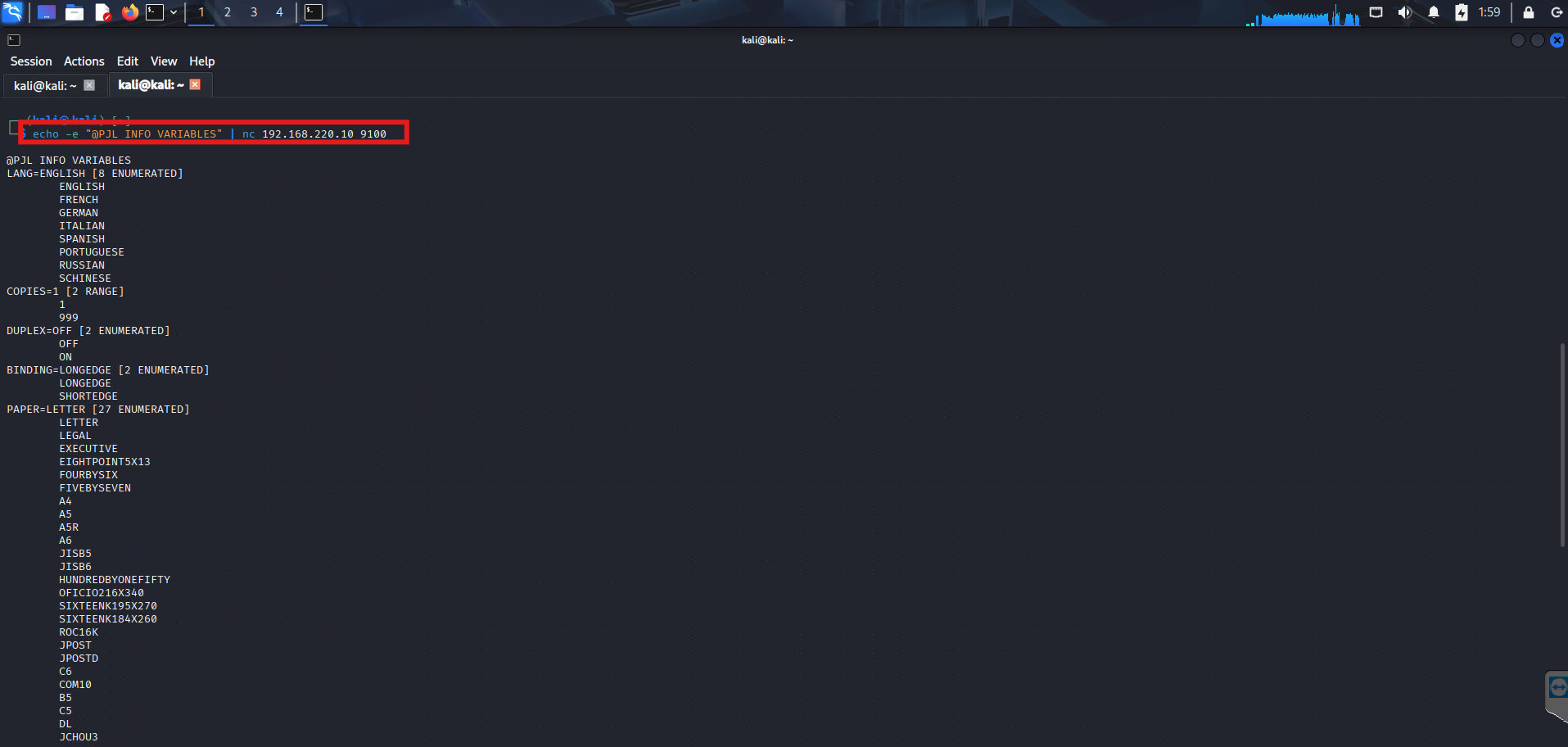
@PJL INFO VARIABLES
LANG=ENGLISH [8 ENUMERATED]
    ENGLISH
    FRENCH
    GERMAN
    ITALIAN
    SPANISH
    PORTUGUESE
    RUSSIAN
    SCHINESE
COPIES=1 [2 RANGE]
    1
    999
DUPLEX=OFF [2 ENUMERATED]
    OFF
    ON
BINDING=LONGEDGE [2 ENUMERATED]
    LONGEDGE
    SHORTEDGE
PAPER=LETTER [27 ENUMERATED]
    ...
COPIES can be set between 1 and 999 — meaning an attacker could remotely trigger the printer to print 999 copies of any document, burning through paper and toner. A simple but effective denial of service.
More critically — the VARIABLES response confirms the printer is fully responsive to unauthenticated PJL commands. That opens the door to deeper attacks.
What’s the Real Risk?
Unauthenticated PJL access on port 9100 is more serious than it looks. Depending on the printer model and firmware version, an attacker on the same network can:
- Enumerate device info — model, firmware, configuration (as shown above)
- Read the print job history — intercepting previously printed documents
- Access the printer filesystem — some HP models expose internal storage via PJL
FSDIRLISTandFSUPLOADcommands - Capture print jobs in transit — by positioning as a man-in-the-middle
- Trigger denial of service — by flooding with print jobs or changing settings
- Pivot deeper — printers often have credentials stored internally for LDAP, email, or network share authentication
Remediation
Fix this in two steps:
1. Firewall port 9100 — restrict access to only authorised print servers. No workstation or attacker should be able to connect directly to the printer’s raw port.
iptables -A INPUT -p tcp --dport 9100 ! -s <print_server_ip> -j DROP2. Enable PJL password protection — HP printers support setting a PJL password that restricts configuration commands:
echo -e "@PJL DEFAULT PASSWORD=YourStrongPassword" | nc 192.168.220.10 91003. Update firmware — HP regularly patches PJL-related vulnerabilities. Check the HP Security Advisories page and keep firmware current.
4. Network segmentation — printers should live in their own VLAN, isolated from workstations and servers.
Takeaways
- Port 9100 is almost always forgotten during hardening — always scan for it
- PJL requires no authentication by default — any device on the network can talk to it
- Printers are a goldmine of information during internal network pentests — model, config, variables, and sometimes stored credentials
- Never assume a printer is “just a printer” — treat it like any other networked device
Got questions or want to discuss further? Hit me up on X.